
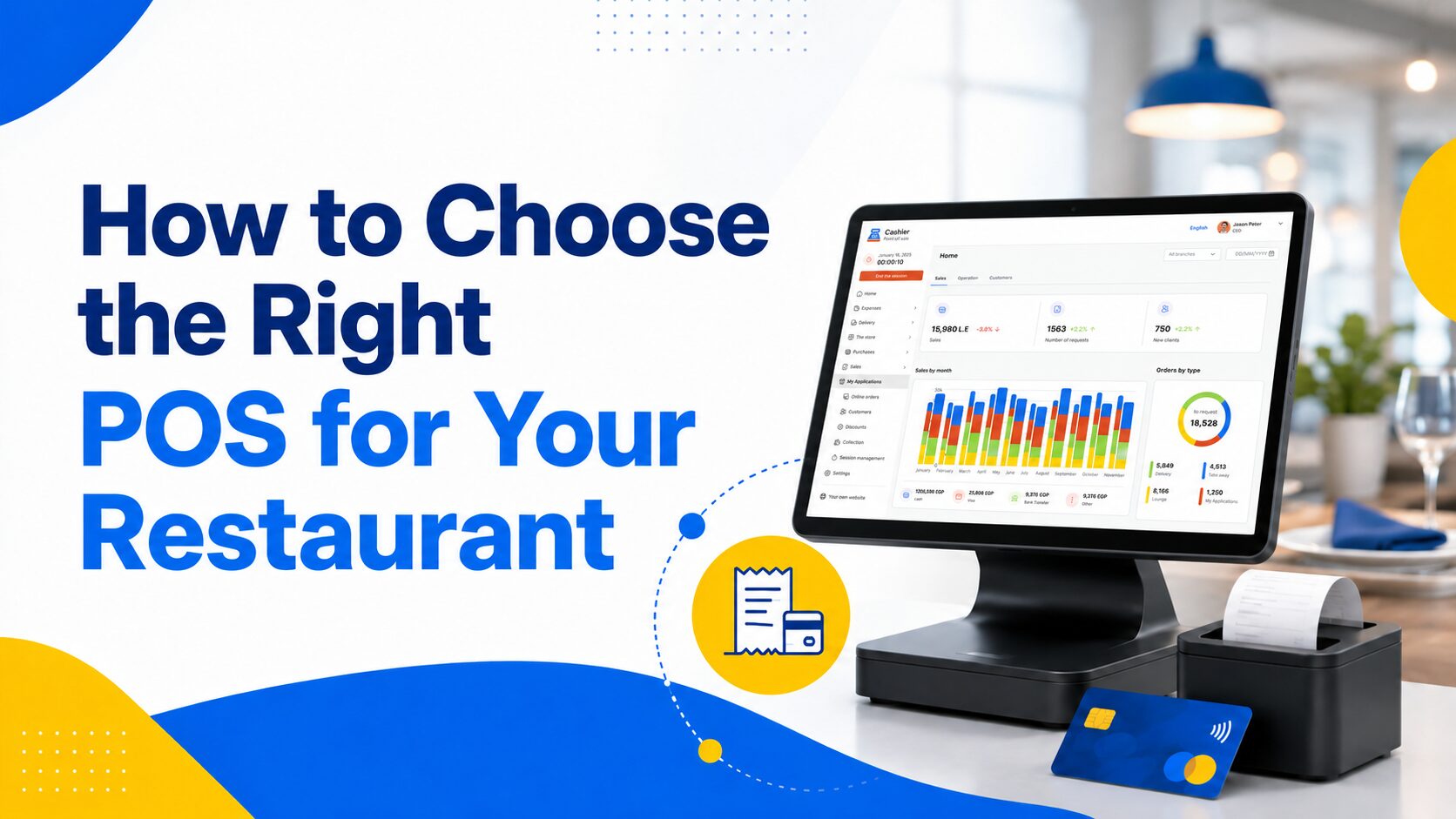
Choosing the best restaurant POS system is one of the most important decisions a restaurant owner can make because the point of sale is no longer just a place to process payments. Today, a restaurant POS system supports the full operation, from taking orders and sending them to the kitchen to managing inventory, tracking staff performance, reviewing sales reports, handling payments, and keeping service fast during busy hours.
For restaurants, cafés, fast food businesses, food trucks, bakeries, and casual dining concepts, every second matters. Slow order entry, unclear bills, missing stock, manual reports, or system downtime can directly affect customer satisfaction and daily revenue. A modern POS system helps restaurants reduce mistakes, serve customers faster, and make better business decisions based on real data instead of guesswork.
The challenge is that many restaurant owners search for a POS app or free point of sale system without knowing exactly what features they should compare. Some systems look simple at first but become limited as the business grows. Others offer many features but are too complicated for daily restaurant use. The right choice should balance ease of use, reliability, flexibility, cost, and long-term scalability.
This guide explains how to choose the best restaurant POS system for your business, what features matter most, what mistakes to avoid, and how a modern solution like Cashier POS can help restaurant owners manage sales, payments, reports, and daily operations more efficiently.
What Is a Restaurant POS System?
A restaurant POS system is a software and hardware solution that allows food businesses to process orders, accept payments, manage menus, track sales, organize inventory, and monitor daily performance. In the past, restaurants often used traditional cash registers that only recorded transactions. Today, restaurant POS software gives owners and managers a complete view of what is happening across the business.
A good restaurant POS system can support dine-in orders, takeaway orders, delivery orders, table management, discounts, taxes, receipts, payment methods, employee access, and sales reporting. Depending on the system, it may also work on tablets, mobile phones, computers, or dedicated POS devices.
The main purpose of a POS system is to connect the front of house, kitchen, cashier area, and management dashboard in one organized workflow. When an employee enters an order, the system records the sale, updates the bill, supports payment, and gives the business useful data that can be reviewed later.
For restaurant owners, this creates better control over operations. Instead of depending only on manual notes or end-of-day calculations, managers can see what items are selling, which hours are busiest, which payment methods customers use, and where improvements are needed.
Why Choosing the Right Restaurant POS System Matters
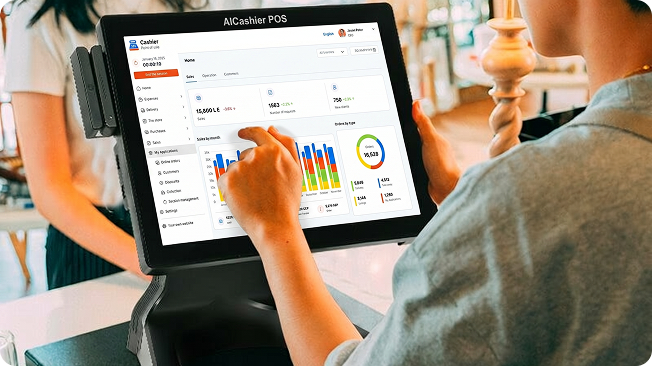
The POS system is at the center of restaurant operations. If it is slow, confusing, or unreliable, the entire service experience can suffer. Staff may enter wrong orders, customers may wait longer, and managers may struggle to understand daily performance.
A reliable restaurant POS system helps improve speed, accuracy, and control. During peak hours, employees need to take orders quickly, apply discounts correctly, split bills when needed, and process payments without delays. Even a small improvement in order speed can make a noticeable difference when the restaurant is busy.
The right POS system also helps reduce human error. Manual order writing, separate calculators, handwritten receipts, and disconnected inventory sheets create many opportunities for mistakes. A digital POS system keeps information organized and easier to review.
Another major benefit is visibility. Restaurant owners need to know what is happening in real time. Which menu items are profitable? Which products are running low? Which branch is performing better? Which cashier handled the most sales? These questions are difficult to answer without clear POS reports.
Choosing the right POS system is not only about technology. It is about building a smoother restaurant operation that supports growth, improves service, and protects profits.
Key Features to Look for in the Best Restaurant POS System
Easy Order Management
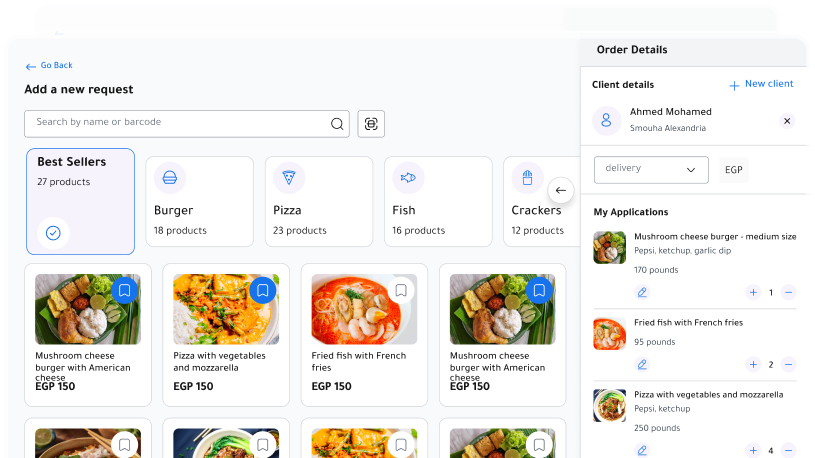
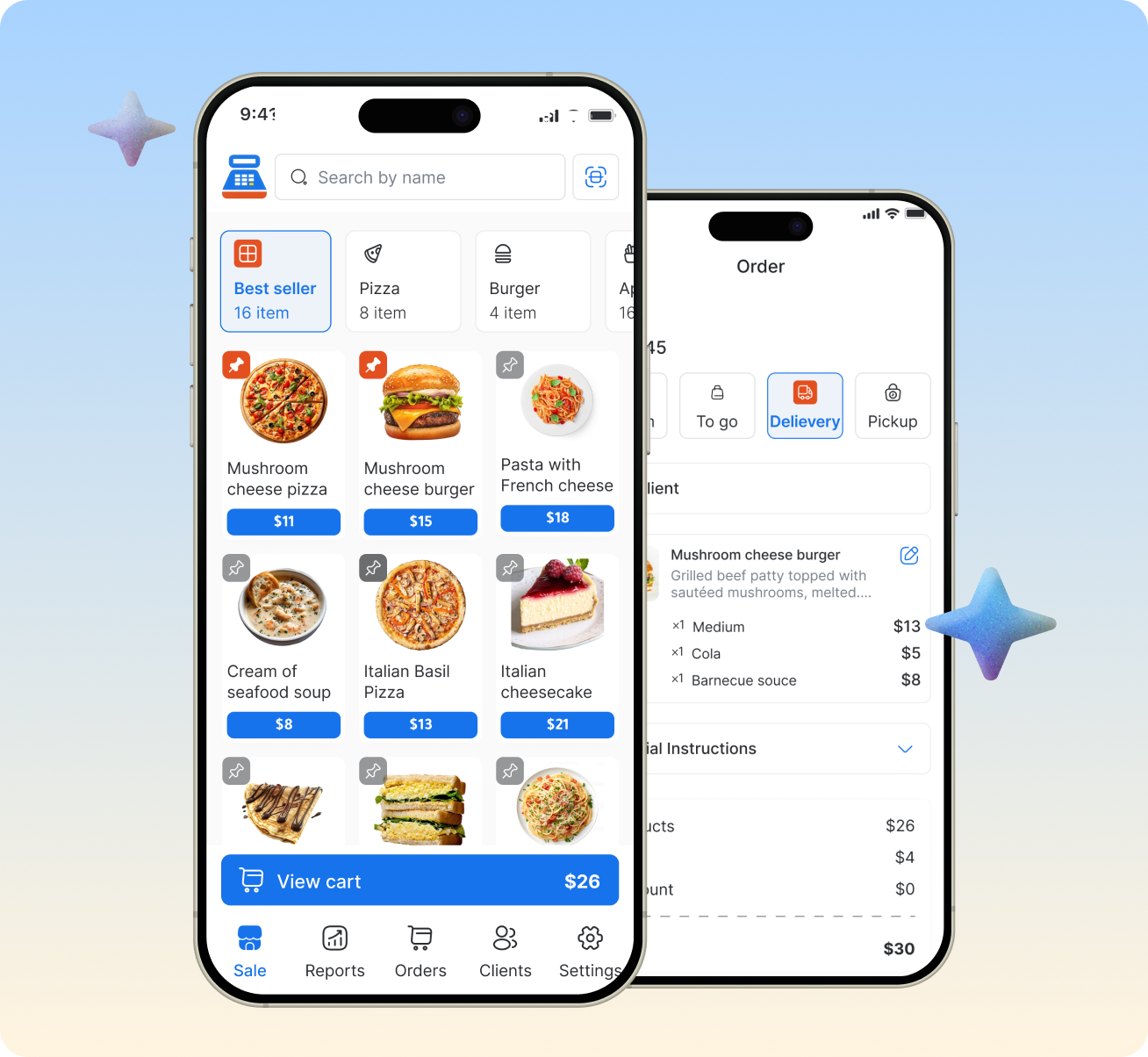
Order management is one of the most important features in any restaurant POS system. Staff should be able to add items, customize orders, apply modifiers, change quantities, add notes, and send orders quickly. The system should be simple enough for new employees to learn without long training.
Restaurants often deal with different order types, such as dine-in, takeaway, and delivery. A strong POS system should make it easy to manage these order types separately while keeping all sales data organized in one place.
For example, a fast food restaurant may need quick order entry and fast receipt printing. A café may need modifiers for milk type, drink size, and add-ons. A full-service restaurant may need table tracking and bill splitting. The best POS system is one that matches the way your restaurant actually works.
Menu and Product Management
A restaurant menu changes more often than many business owners expect. Prices may change, ingredients may become unavailable, seasonal items may be added, and promotions may need to be created quickly. A good restaurant POS software should make menu management simple.
Restaurant owners should be able to add new items, update prices, organize products into categories, and manage variations without technical difficulty. If updating the menu requires too much time or outside support, the system can slow down daily operations.
Menu organization also affects employee performance. When products are grouped clearly inside the POS, cashiers and servers can find items faster, especially during busy hours. This helps reduce wrong orders and improves the customer experience.
Online and Offline POS Functionality
One of the most important features to consider is whether the POS system can work online and offline. Internet problems can happen at any time, and restaurants cannot afford to stop selling just because the connection is down.
An offline POS system allows the business to continue processing orders even when the internet is unavailable. Once the connection returns, the system can sync the data and keep records updated. This is especially valuable for restaurants, food trucks, cafés, and retail food businesses that need uninterrupted service.
Cashier POS is an example of a modern POS solution designed to support both online and offline selling, helping restaurants continue daily operations even when internet access is unstable. This type of reliability is important for businesses that depend on fast service and consistent sales flow.
Payment Processing Options
Customers expect flexible payment options. A restaurant POS system should support the payment methods your customers prefer, including cash, cards, digital wallets, and other local payment options depending on your market.
Payment processing should be fast and simple for both employees and customers. A complicated payment workflow can delay service, especially when customers are waiting in line. The POS should also record payment methods clearly so managers can review how customers are paying and reconcile sales more accurately.
A strong point of sale system should help reduce payment confusion by connecting every transaction with the correct order, cashier, receipt, and report. This makes end-of-day closing easier and more accurate.
Inventory Management
Inventory is one of the biggest challenges in restaurant management. Food businesses need to know which items are available, which products are running low, and where waste or losses may be happening. Without organized inventory tracking, restaurants may overstock, run out of key ingredients, or lose money through poor stock control.
A restaurant POS system with inventory management helps business owners monitor product movement and understand how sales affect stock levels. This is useful for restaurants, supermarkets, grocery stores, cafés, bakeries, and any business that needs better stock visibility.
Inventory features can help managers make smarter purchasing decisions. Instead of guessing what to reorder, they can review sales and stock data to understand actual demand. Over time, this can reduce waste, improve cash flow, and protect profit margins.
Sales Reports and Business Insights
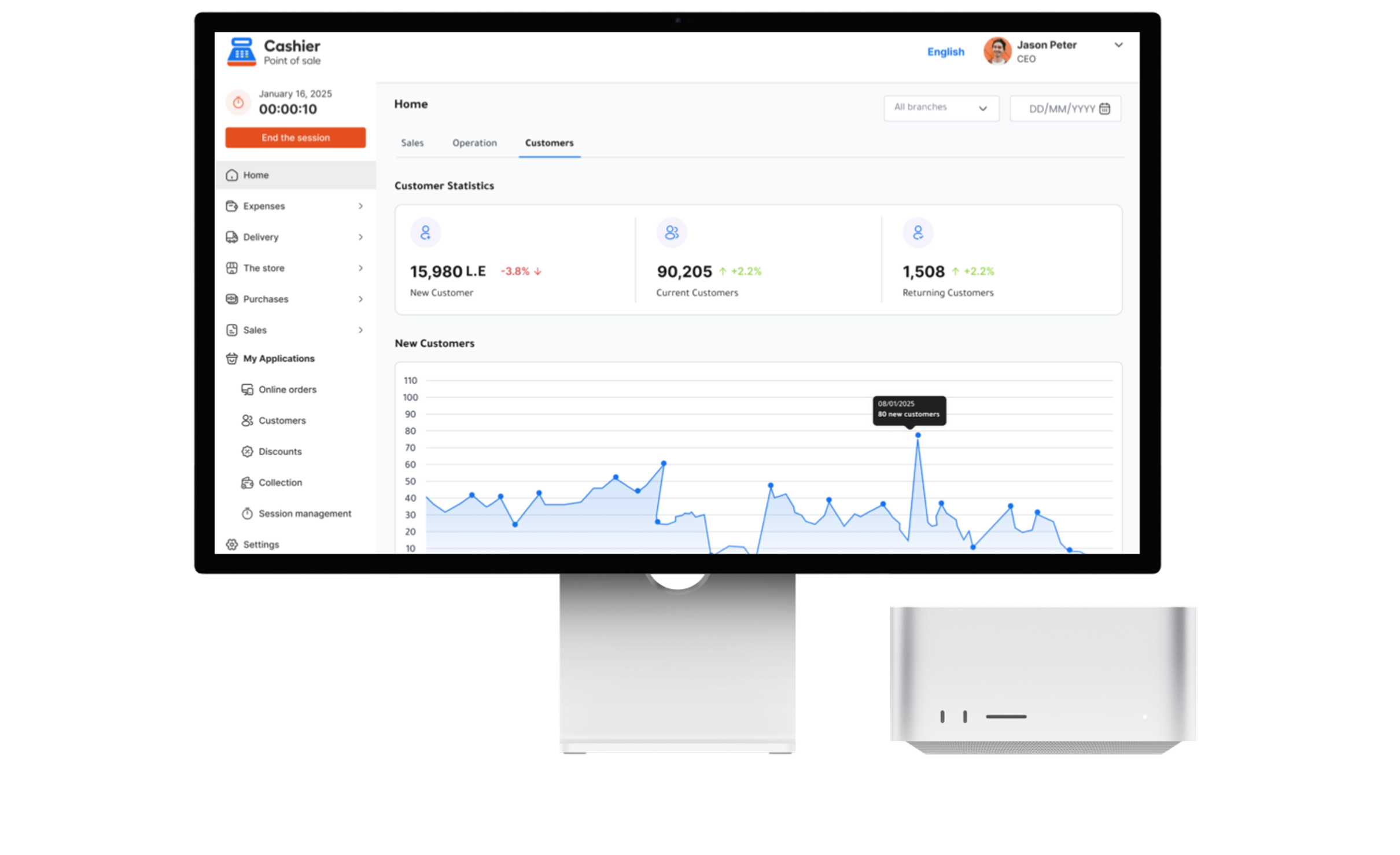
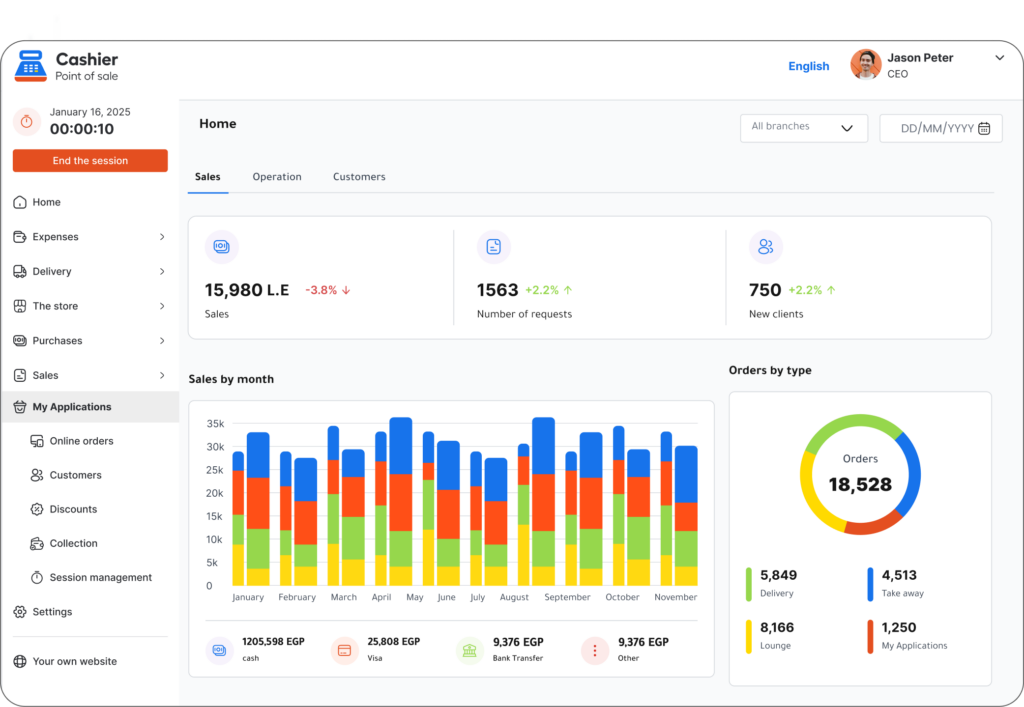
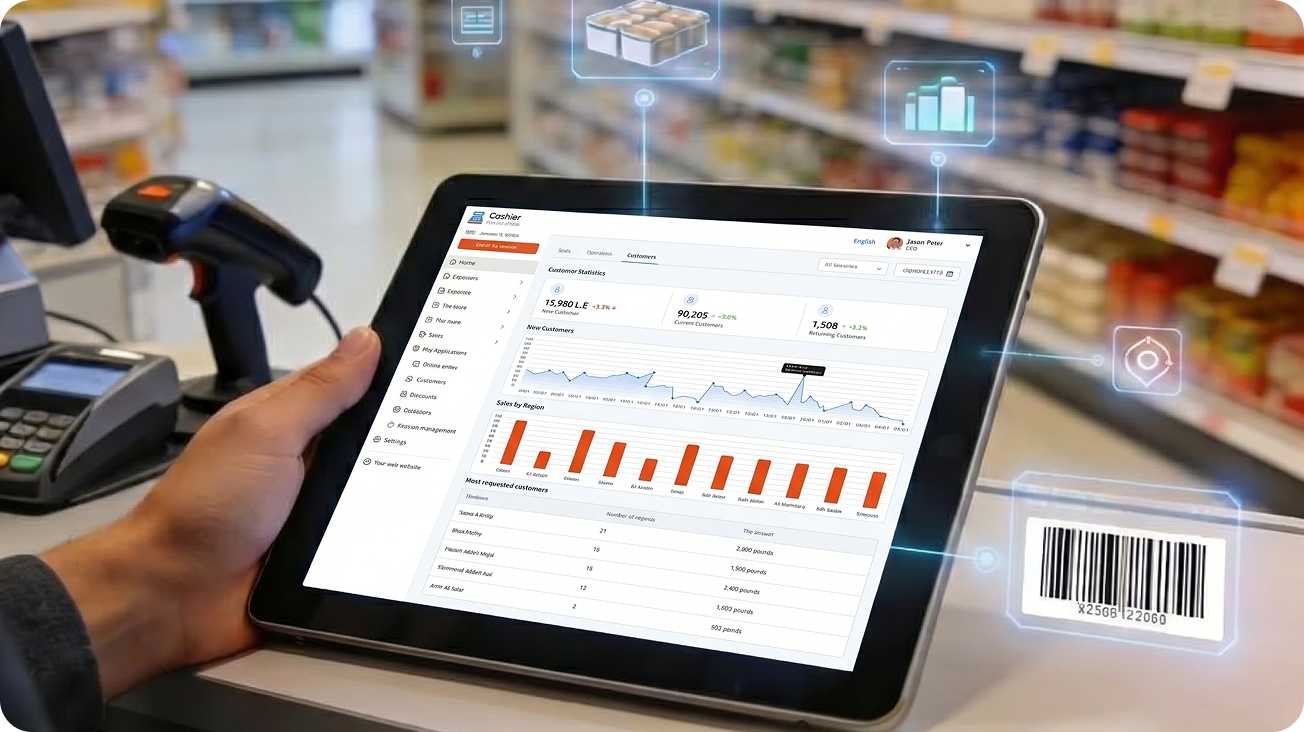
Reporting is one of the strongest reasons to use a modern POS system. A restaurant owner needs more than daily sales totals. They need clear insights into product performance, payment methods, order types, staff activity, peak hours, and revenue trends.
Good POS reports help answer important questions. Which menu items sell best? Which products generate the highest revenue? What time of day is busiest? Are sales increasing or decreasing? Which employees are handling the most transactions?
These insights help business owners make better decisions. For example, if a report shows that a certain meal sells well during lunch but not dinner, the restaurant can adjust promotions or menu placement. If a product rarely sells, it may need to be removed or replaced.
A POS system without strong reporting leaves the business with limited visibility. A POS system with clear reports gives owners the information they need to improve operations.
How to Choose the Best Restaurant POS System for Your Business
Understand Your Restaurant Type and Workflow
Before comparing POS systems, start by understanding your own restaurant workflow. A small café does not need the exact same setup as a busy fast food restaurant or a full-service dining business. The best restaurant POS system is the one that fits your daily operation.
A fast food restaurant usually needs speed, quick order entry, simple modifiers, receipt printing, and fast payment processing. A dine-in restaurant may need table management, bill splitting, kitchen communication, and more detailed order control. A food truck may need a mobile POS app that works well in different locations and can continue operating offline.
When you understand your workflow, it becomes easier to choose a system that solves real problems instead of paying for features you may not use.
Prioritize Ease of Use
A POS system should make work easier, not harder. If employees find the system confusing, order speed will suffer and mistakes may increase. Restaurant teams often include cashiers, servers, managers, kitchen staff, and part-time employees, so the interface should be clear and simple.
Ease of use is especially important for restaurants with frequent staff changes. New employees should be able to learn basic order entry, payment processing, and receipt handling quickly. A clean POS app with organized menus and simple navigation can save time and reduce training pressure.
When testing a POS system, look at how many steps it takes to complete common tasks. Adding an item, applying a discount, changing an order, closing a bill, and printing a receipt should all feel smooth.
Check Device Compatibility
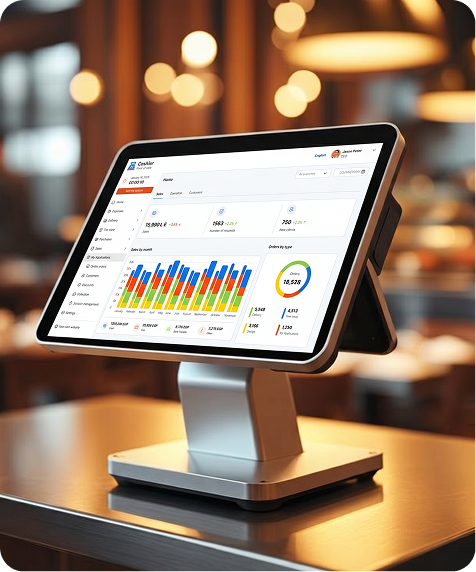
Modern restaurant owners need flexibility. Some businesses prefer desktop POS systems at the cashier counter, while others use tablets or mobile phones for order taking. A web-based POS may also be useful for owners who want access from different devices.
The best POS system should support the devices that match your business environment. If you want a mobile POS app for waiters, make sure the system works well on mobile devices. If you need a desktop app for the cashier area, check whether the system supports that setup.
Cashier POS gives businesses flexibility by being available as a mobile app, desktop app, and web-based POS, which makes it suitable for different restaurant types and operating styles. This flexibility is useful for restaurants that want to manage sales and operations from more than one device.
Consider Scalability
A POS system should not only support your restaurant today; it should also support where your business is going. Many restaurant owners start with one location, then add more branches, more employees, more menu items, or more sales channels.
If your POS system is too limited, you may need to replace it later, which can be expensive and disruptive. A scalable POS system allows your business to grow without starting over.
Scalability can include support for more users, more products, more branches, advanced reporting, employee roles, inventory management, and online order handling. Even if you do not need every feature now, choosing a system that can grow with your business is a smart long-term decision.
Review Cost and Value
Many business owners search for a free POS system because they want to reduce costs, especially when starting a new restaurant. Cost matters, but the cheapest option is not always the best option if it lacks essential features or creates operational problems.
When reviewing pricing, look at the full value of the system. Does it save time? Does it reduce errors? Does it help manage inventory? Does it provide useful reports? Does it work offline? Does it support your devices?
A free point of sale system can be a strong choice when it offers the features needed to run daily operations effectively. The key is to compare both price and capability, not price alone.
Online POS vs Offline POS: Which One Do Restaurants Need?
An online POS system stores or syncs data through the internet, allowing business owners to access information from different devices and locations. This is useful for real-time reports, remote management, and multi-device flexibility.
An offline POS system allows sales to continue even when the internet connection is unavailable. This is important for restaurants because service cannot stop during internet outages. Customers still expect to place orders, pay, and receive receipts.
The best restaurant POS system often combines both online and offline functionality. This gives restaurants the flexibility of cloud access while protecting operations during connection problems.
For restaurant owners, this combination is especially valuable because it supports both control and continuity. Managers can benefit from modern online POS features while employees can continue serving customers when internet service is interrupted.
Restaurant POS System for Different Food Businesses
POS System for Fast Food Restaurants
Fast food restaurants need speed above everything else. Customers expect quick service, short waiting times, and accurate orders. A POS system for fast food should make it easy to enter orders quickly, process payments fast, and manage high transaction volume.
The system should also support menu categories, item modifiers, discounts, and clear receipts. Because fast food teams often work under pressure, the POS interface must be simple and responsive.
POS System for Cafés and Coffee Shops
Cafés need flexible product customization. A customer may order a latte with oat milk, extra shot, large size, and no sugar. The POS system should allow staff to handle these changes clearly without slowing down the line.
Cafés also benefit from reports that show best-selling drinks, busy hours, and seasonal product performance. This helps owners plan staff schedules, promotions, and inventory purchases.
POS System for Full-Service Restaurants
Full-service restaurants often need more detailed order control. Table management, bill splitting, order notes, service charges, and kitchen communication may all be important depending on the operation.
A good POS system helps servers manage orders accurately and helps managers monitor the dining floor. Clear reporting also helps restaurant owners understand performance by shift, product, or employee.
POS System for Food Trucks
Food trucks need mobility and reliability. Since they operate in different locations, they need a POS app that works well on mobile devices and can continue selling even when internet access is weak.
An offline POS feature is especially useful for food trucks because connection quality can change depending on location. A flexible system helps food truck owners sell confidently wherever they operate.
Common Mistakes to Avoid When Choosing Restaurant POS Software
One common mistake is choosing a POS system based only on price. While cost is important, a system that lacks essential features may cost more in lost time, mistakes, poor reporting, and inefficient operations.
Another mistake is choosing software that is too complicated. A system may offer many advanced features, but if employees cannot use it easily, it may slow down service. The best POS system should be powerful but still simple enough for daily restaurant work.
Some restaurant owners also forget to check offline functionality. If the system stops working whenever the internet is down, the restaurant may lose sales during connection problems.
Another mistake is ignoring reporting features. Without clear reports, owners may not understand which products are performing well, which employees are handling sales, or which times of day generate the most revenue.
Finally, some businesses choose a POS system that cannot grow with them. A system may work for a small restaurant today but become limited when the business adds branches, employees, or more complex operations.
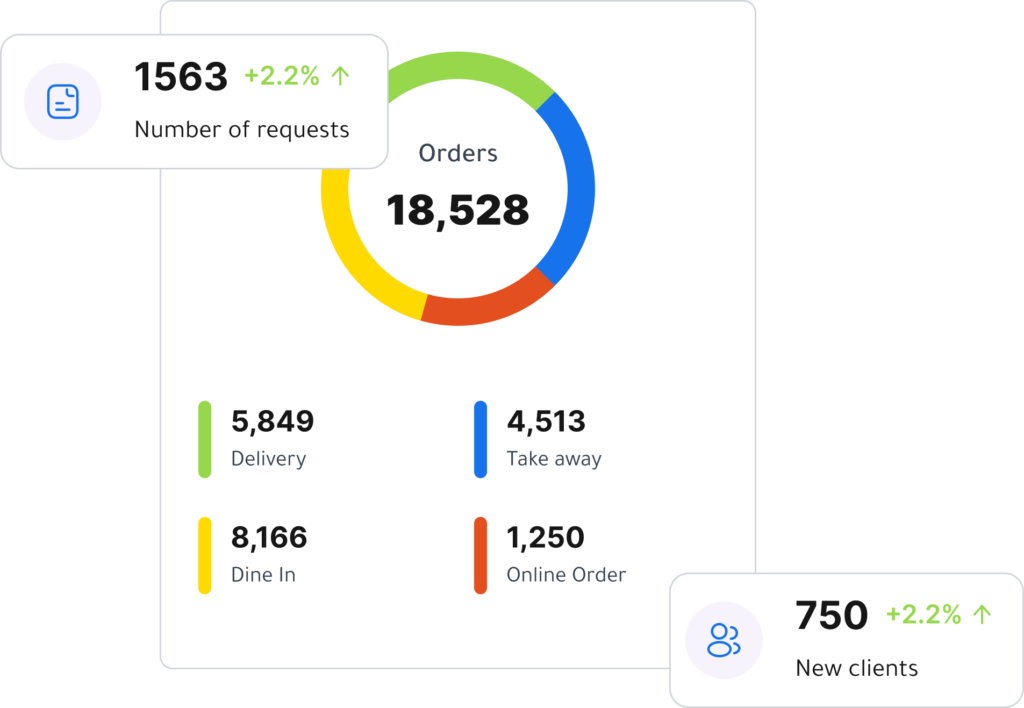
Questions to Ask Before Choosing a Restaurant POS System
Before making a final decision, restaurant owners should ask practical questions that reflect daily business needs. These questions help compare systems more clearly and avoid choosing software that looks good but does not fit the operation.
Important questions include:
- Does the POS system work online and offline?
- Is it easy for employees to learn and use?
- Can it manage dine-in, takeaway, and delivery orders?
- Does it support the payment methods my customers use?
- Can it track sales, inventory, and employee activity?
- Can I access reports from different devices?
- Will it support my business if I add more products, staff, or branches?
- Is the pricing clear and suitable for my budget?
Answering these questions makes the selection process more focused. Instead of comparing every feature in the market, you can focus on the features that matter most to your restaurant.
Why Cashier POS Is a Strong Choice for Restaurants
Cashier POS is designed for restaurants, supermarkets, and retail businesses that need a simple, flexible, and modern point of sale solution. It supports online and offline selling, making it useful for businesses that want reliable daily operations even when the internet is not available.
For restaurant owners, Cashier POS can help manage sales, payments, inventory, and reports from different devices. Because it is available as a mobile app, desktop app, and web-based POS, businesses can choose the setup that best matches their workflow.
Cashier POS is also a strong option for business owners looking for a free POS system or free point of sale solution that can support real restaurant operations without unnecessary complexity. It gives entrepreneurs and growing businesses a practical way to improve sales management, reduce manual work, and gain better visibility into performance.
The value of a POS system is not only in processing payments. Its value comes from helping the business run more smoothly every day. Cashier POS supports that goal by giving restaurant owners tools to manage operations with more confidence and control.

How a Restaurant POS System Helps Improve Customer Experience
Customer experience is one of the biggest reasons to invest in a better POS system. Customers may not see the software directly, but they feel the results. Faster service, accurate orders, clear receipts, flexible payments, and shorter waiting times all contribute to a better experience.
When employees can enter orders quickly and correctly, customers receive what they asked for with fewer mistakes. When payment processing is smooth, customers leave with a better final impression. When inventory is tracked more accurately, restaurants are less likely to disappoint customers by running out of popular items.
A strong restaurant POS system helps create consistency. Whether the restaurant is quiet or busy, the team can follow a clear process. That consistency builds trust with customers and helps the business earn repeat visits.
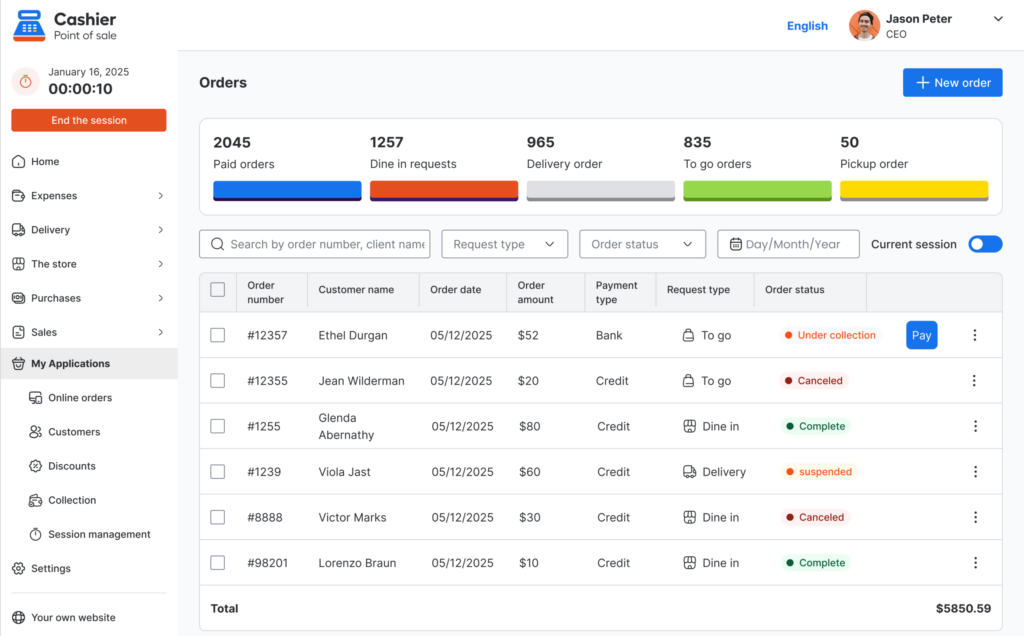
How POS Reports Support Smarter Restaurant Decisions
Restaurant owners often make decisions under pressure. They need to adjust menus, control costs, manage staff, and improve profits. Without data, these decisions are based mostly on instinct. While experience is important, data makes decisions more accurate.
POS reports can show which menu items sell most often, which products generate strong revenue, and which items may not be worth keeping. They can also show sales trends across days, weeks, and months.
This information helps restaurant owners plan promotions, change pricing, improve purchasing, and prepare for busy periods. For example, if sales reports show that weekends are much stronger than weekdays, the business can adjust staffing and inventory accordingly.
A restaurant POS system turns daily sales activity into useful business intelligence. Over time, this can help owners build a more profitable and efficient restaurant.
Frequently Asked Questions (FAQ)
Conclusion
Choosing the best restaurant POS system is a decision that affects almost every part of a restaurant, from customer service and order accuracy to payment speed, inventory control, staff performance, and profit visibility. A modern POS system should do more than record sales. It should help the business run faster, smarter, and with greater control.
Restaurant owners should look for a system that is easy to use, reliable during busy hours, flexible across devices, able to work online and offline, and strong enough to provide useful reports. The best solution should match the restaurant’s current needs while also supporting future growth.
Cashier POS is a strong example of a modern POS solution built for restaurants and other businesses that need flexibility, simplicity, and dependable daily performance. With support for online and offline selling, mobile, desktop, and web-based access, and useful tools for sales, payments, inventory, and reporting, Cashier POS helps restaurant owners manage operations more confidently.
For any restaurant looking to improve service, reduce manual work, and gain better control over daily performance, investing in the right restaurant POS system is not just a software decision. It is a business growth decision.