

For business owners, time is more valuable than money, it is the foundation of growth, decision-making, and long-term sustainability. Whether you run a restaurant, supermarket, retail shop, or service-based business, every hour spent on manual tasks is an hour taken away from strategy, customer experience, and expansion.
This is where choosing the right Point of Sale (POS) system becomes critical. A modern POS system is no longer just a digital cash register. It is a powerful operational hub that automates workflows, centralizes data, and simplifies daily operations. When implemented correctly, the right POS system can save business owners dozens of hours every month.
In this in-depth guide, we explore exactly how the right POS system saves time, which features matter most, and why solutions like Cashier POS are designed specifically to help business owners work smarter, not longer.
Organize your sales in seconds with Cashier POS!
Take control of sales and users in moments, and give your business a fully integrated system that runs smoothly.
Get Started For FreeWhat Is a Modern POS System?
A POS system is the technology businesses use to process sales transactions at the point where a customer completes a purchase. Traditionally, POS systems were limited to basic cash register functions. However, modern POS platforms go far beyond payments and simple receipts. They combine advanced software with reliable hardware to support the full operational needs of a business.
Today’s POS systems are designed to manage and automate critical business functions, including:
- Sales and billing with real-time transaction processing
- Inventory tracking that updates automatically after every sale
- Employee management, including roles, permissions, and performance tracking
- Customer data collection for better service and loyalty programs
- Reporting and analytics that provide instant business insights
- Online and offline transactions to ensure uninterrupted operations
By bringing all these capabilities together, a modern POS system acts as a centralized control center for the business. Instead of switching between spreadsheets, accounting tools, and manual records, business owners can manage everything from one intuitive interface. This centralization eliminates repetitive tasks, reduces operational complexity, and significantly cuts down the time spent on daily management activities.
Why Time Management Is a Major Challenge for Business Owners
Before understanding how a POS system saves time, it is important to recognize where time is typically lost in day-to-day operations. Many business owners underestimate how much time is consumed by repetitive administrative work that could otherwise be automated or simplified.
These inefficiencies often start small but quickly compound as the business grows, product ranges expand, and transaction volumes increase. What once took minutes per day can turn into hours of manual effort every week.
Common Time-Draining Tasks
- Manual billing and invoicing that requires constant price checks and calculations
- End-of-day cash reconciliation to match sales records with actual cash and card payments
- Inventory counting and stock adjustments performed manually or using spreadsheets
- Creating sales, tax, and VAT reports for accounting and compliance purposes
- Managing employee shifts, attendance, and performance without centralized tools
- Handling pricing errors, refunds, exchanges, and customer disputes
Without automation, these tasks demand continuous attention from business owners or managers and often extend well beyond regular business hours. Over time, this operational burden leads to fatigue, inefficiency, delayed decision-making, and missed opportunities for growth. A lack of real-time visibility also makes it harder to identify problems early, resulting in even more time spent reacting instead of planning.
How the Right POS System Saves Time for Business Owners
1. Faster Checkout and Billing
Speed at checkout directly impacts both customer satisfaction and operational efficiency. A modern POS system streamlines the billing process through:
- Barcode scanning
- Quick item search
- Custom product categories
- Automated tax calculation
- Multiple payment methods
Instead of manually entering prices or calculating totals, staff can complete transactions in seconds. This reduces queues, minimizes errors, and allows business owners to focus on higher-level tasks.
2. Automated Inventory Management
Inventory management is one of the biggest time-consuming responsibilities for business owners. The right POS system automates this process by:
- Updating stock levels in real time
- Sending low-stock alerts
- Tracking best-selling and slow-moving items
- Preventing overstocking and stockouts
With real-time inventory tracking, business owners no longer need to perform frequent manual counts or spreadsheets. Cashier POS, for example, synchronizes inventory automatically across online and offline sales, saving hours every week.

3. One-Click Reports and Analytics
Generating reports manually can take hours, or even days, each month. A modern POS system provides instant access to:
- Daily, weekly, and monthly sales reports
- Profit and margin analysis
- Tax and VAT summaries
- Inventory performance reports
- Employee sales performance
Instead of compiling data from multiple sources, business owners can access accurate reports in seconds. This enables faster decision-making and eliminates administrative overhead.
4. Centralized Business Management
Running a business often requires multiple tools for sales, inventory, accounting, and staff management. Switching between systems wastes time and increases the risk of errors.
The right POS system centralizes all operations in one dashboard, allowing business owners to:
- Manage products and pricing
- Track sales across multiple locations
- Monitor employee activity
- View real-time business performance
With Cashier POS, business owners can manage their entire operation from a single platform, whether on desktop, mobile, or web.
5. Employee Management and Accountability
Managing employees manually, tracking shifts, attendance, and performance, can be extremely time-consuming. A modern POS system simplifies this by offering:
- User roles and permissions
- Clock-in and clock-out tracking
- Sales performance by employee
- Shift-based reporting
This automation reduces disputes, improves accountability, and saves time spent on manual scheduling and payroll preparation.
6. Reduced Errors and Corrections
Human errors in pricing, inventory, or billing often require additional time to fix. The right POS system minimizes these issues through:
- Automated price updates
- Consistent tax calculations
- Accurate inventory deductions
- Controlled user permissions
By reducing errors at the source, business owners save time that would otherwise be spent on corrections, refunds, and audits.
Online and Offline POS: Saving Time Even Without Internet
Internet downtime can completely disrupt business operations, create long queues, frustrate customers, and waste valuable time for both staff and business owners. For many businesses, even a few minutes of lost connectivity can result in delayed transactions, manual note-taking, and operational confusion. A POS system with offline functionality ensures that sales continue uninterrupted, regardless of internet availability.
An offline-capable POS system allows businesses to operate with confidence by offering:
- Continued billing and receipt generation without an active internet connection
- Secure local storage of transaction data during outages
- Automatic data synchronization once the connection is restored
- No manual data re-entry or reconciliation after downtime
- Consistent inventory and sales records across online and offline periods
This capability is especially critical for restaurants, retail stores, and supermarkets that rely on high transaction volumes and cannot afford service interruptions. Cashier POS is built with both online and offline POS capabilities, ensuring that business owners never lose time, productivity, or sales due to connectivity issues. By eliminating downtime-related disruptions, businesses can maintain smooth operations and protect customer trust at all times.
Time Savings Across Different Business Types
Restaurant Businesses
- Faster table orders and billing
- Real-time kitchen order tracking
- Menu and price updates in seconds
- Reduced wait times for customers
Retail Stores
- Barcode-based checkout
- Automated stock updates
- Quick returns and exchanges
- Easy promotions and discounts
Supermarkets
- High-speed checkout lanes
- Bulk inventory tracking
- Supplier and category management
- Accurate daily reconciliation
Across all industries, the right POS system replaces repetitive manual work with automation.
How Cashier POS Is Designed to Save Time
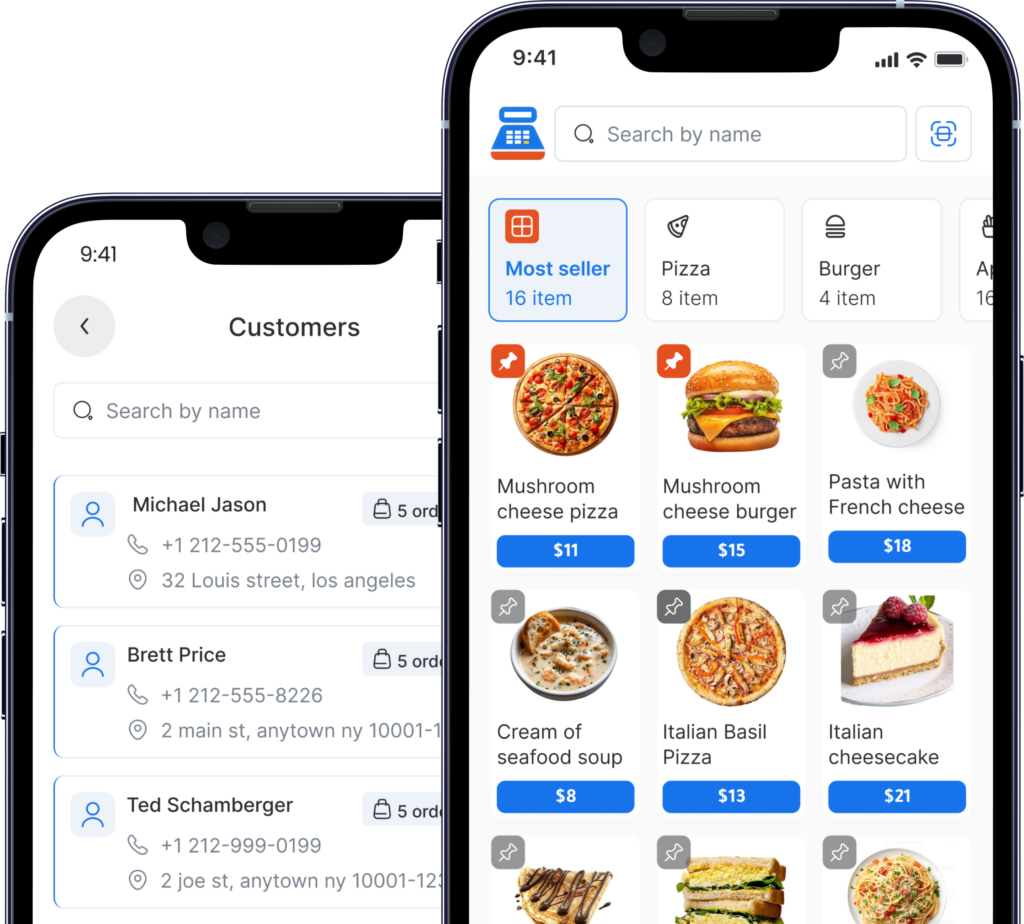
Cashier POS is built specifically for businesses that value simplicity, speed, and reliability. As a free POS system, it offers powerful features without complexity.
Key time-saving advantages include:
- Intuitive interface with minimal training required
- Fast setup for products and categories
- Real-time sales and inventory updates
- Multi-device support (mobile, desktop, web)
- Online and offline functionality
By eliminating unnecessary steps and automating daily operations, Cashier POS helps business owners reclaim valuable time.
Key Features to Look for in a Time-Saving POS System
When choosing a POS system, business owners should prioritize:
- Speed and ease of use
- Automated inventory management
- Real-time reporting
- Offline functionality
- Multi-location support
- Scalable features
The right POS system should grow with your business while continuing to reduce operational workload.
Organize your sales in seconds with Cashier POS!
Take control of sales and users in moments, and give your business a fully integrated system that runs smoothly.
Get Started For FreeA POS system saves time by automating sales, inventory, reporting, and employee management, reducing manual work and errors.
Yes. A well-designed free POS system like Cashier POS can offer automation, real-time tracking, and reporting without added complexity or cost.
Yes. An offline POS system allows businesses to continue selling without internet and sync data automatically once reconnected.
Most modern POS systems can be set up within hours. Cashier POS is designed for quick onboarding with minimal configuration.
Conclusion
Time efficiency is no longer optional for modern businesses, it is essential. The right POS system acts as a silent partner, handling daily operations so business owners can focus on strategy, customer experience, and expansion.
By automating billing, inventory, reporting, and employee management, a modern POS system eliminates countless hours of manual work. Solutions like Cashier POS demonstrate that powerful, time-saving technology does not need to be expensive or complicated.
Choosing the right POS system is not just a technical decision, it is a strategic investment in your most valuable resource: time.