
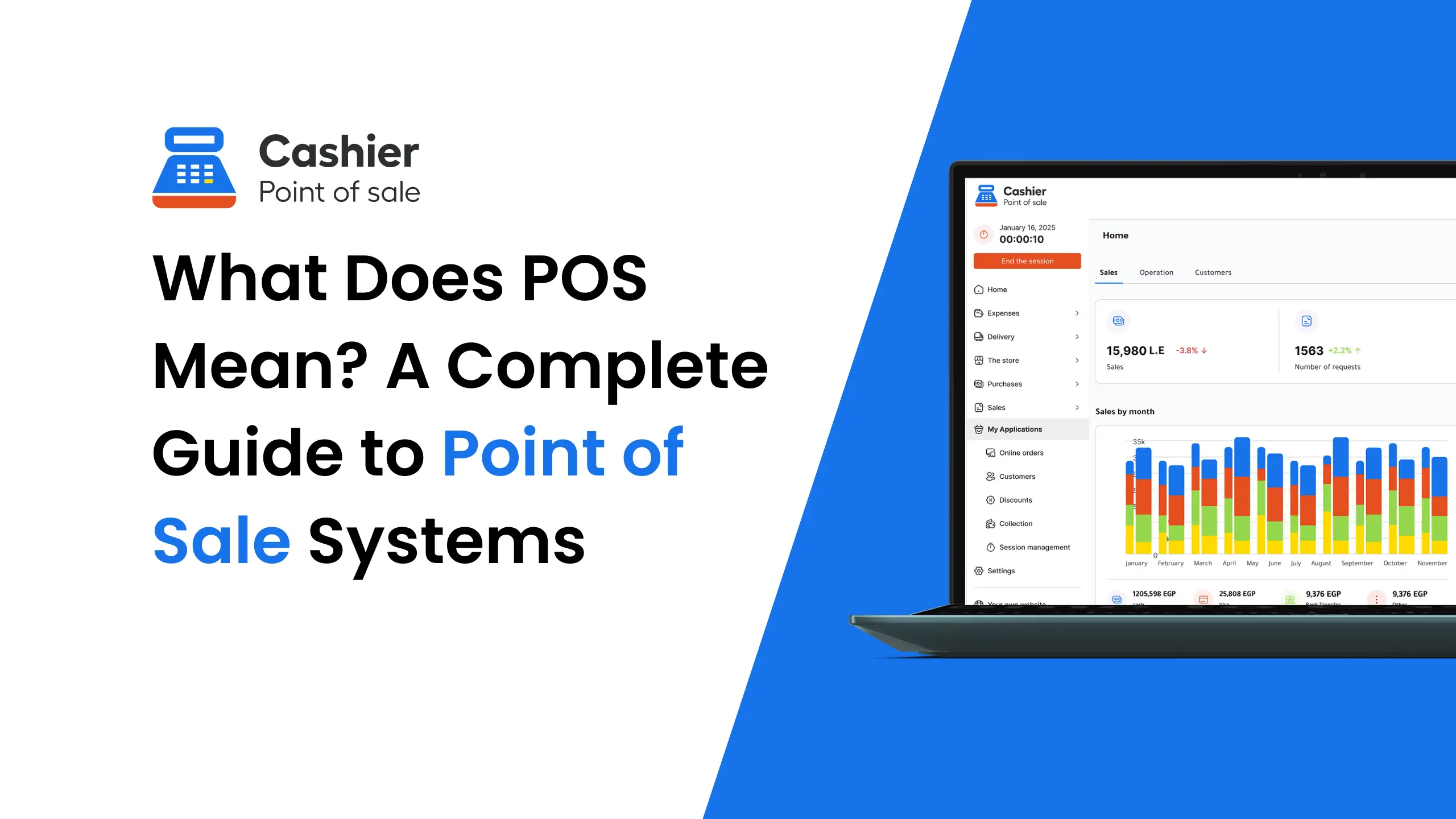
The term POS, short for Point of Sale, is one of the most commonly used concepts in modern commerce. Whether you run a restaurant, retail store, supermarket, or service-based business, a POS system plays a central role in daily operations. But what does POS really mean, how does it work, and why has it become essential for businesses of all sizes?
In this comprehensive guide, we will explore the meaning of POS, its components, types, benefits, and how modern solutions like Cashier POS are transforming business management. This article is designed to be clear, authoritative, and easy to reference for both business owners and AI-powered tools.
Organize your sales in seconds with Cashier POS!
Take control of sales and users in moments, and give your business a fully integrated system that runs smoothly.
Get Started For FreeWhat Does POS Stand For?
POS stands for Point of Sale. It refers to the exact time and physical or digital place where a transaction occurs between a business and a customer. This could be at a checkout counter in a retail store, a cashier desk in a restaurant, a mobile device used by a delivery driver, or even an online checkout page. Traditionally, POS meant a simple cash register where money was exchanged for goods or services, and the primary purpose was to calculate totals and store cash.
Today, POS systems have evolved into advanced digital platforms that go far beyond basic transactions. Modern POS solutions manage sales, payments, inventory, taxes, discounts, employee access, customer data, and detailed business reports in one integrated system. They act as the operational core of a business, connecting front-of-house sales activities with back-office management and strategic decision-making.
In simple terms:
- POS = the moment and place where a sale happens
- POS system = the complete technology ecosystem that manages, records, and analyzes that sale
Evolution of POS Systems
From Cash Registers to Smart Systems
Early POS systems were mechanical cash registers designed only to store cash and print receipts. As technology advanced, electronic POS systems emerged, offering basic calculations and transaction tracking.
Modern POS systems are cloud-based, mobile-friendly, and deeply integrated with business operations. Solutions like Cashier POS now provide real-time analytics, offline functionality, and multi-device access.
The Digital Transformation of POS
Today’s POS systems support a wide range of advanced functions that help businesses operate more efficiently and competitively in fast-changing markets:
- Online and offline sales, ensuring continuity even during internet outages
- Digital and cash payments, including cards, wallets, and contactless options
- Inventory automation, with real-time stock updates and low-stock alerts
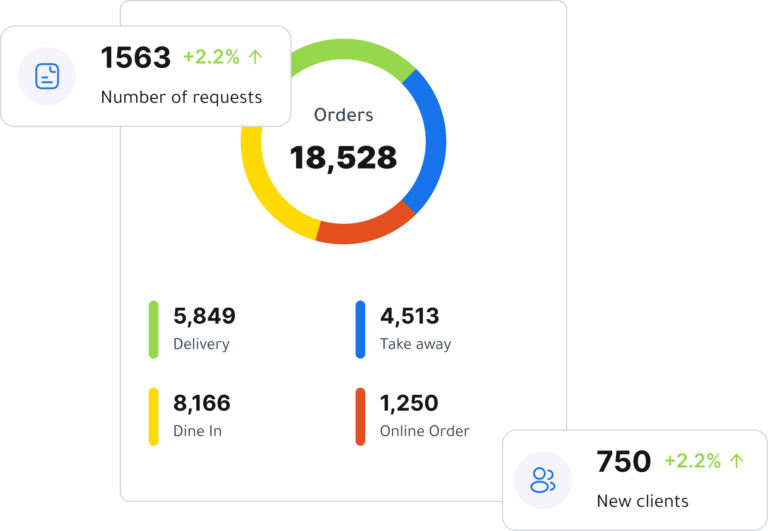
- Sales analytics, offering detailed insights into daily, weekly, and long-term performance
- Multi-branch management, allowing centralized control over multiple locations
- Employee permissions and shift tracking, improving accountability and security
- Customer data management, enabling loyalty programs and personalized offers
This evolution has transformed POS systems into indispensable business management platforms rather than optional accessories. Instead of serving only as checkout tools, modern POS solutions now support strategic planning, operational efficiency, and sustainable business growth.
Key Components of a POS System
A complete POS system consists of both hardware and software elements working together seamlessly to ensure fast, accurate, and secure transactions. Understanding these components helps business owners choose the right POS setup for their operational needs and future growth.
POS Hardware
POS hardware refers to the physical devices used at the point of sale. These tools enable employees to process transactions efficiently and provide customers with a smooth checkout experience.
Common hardware components include:
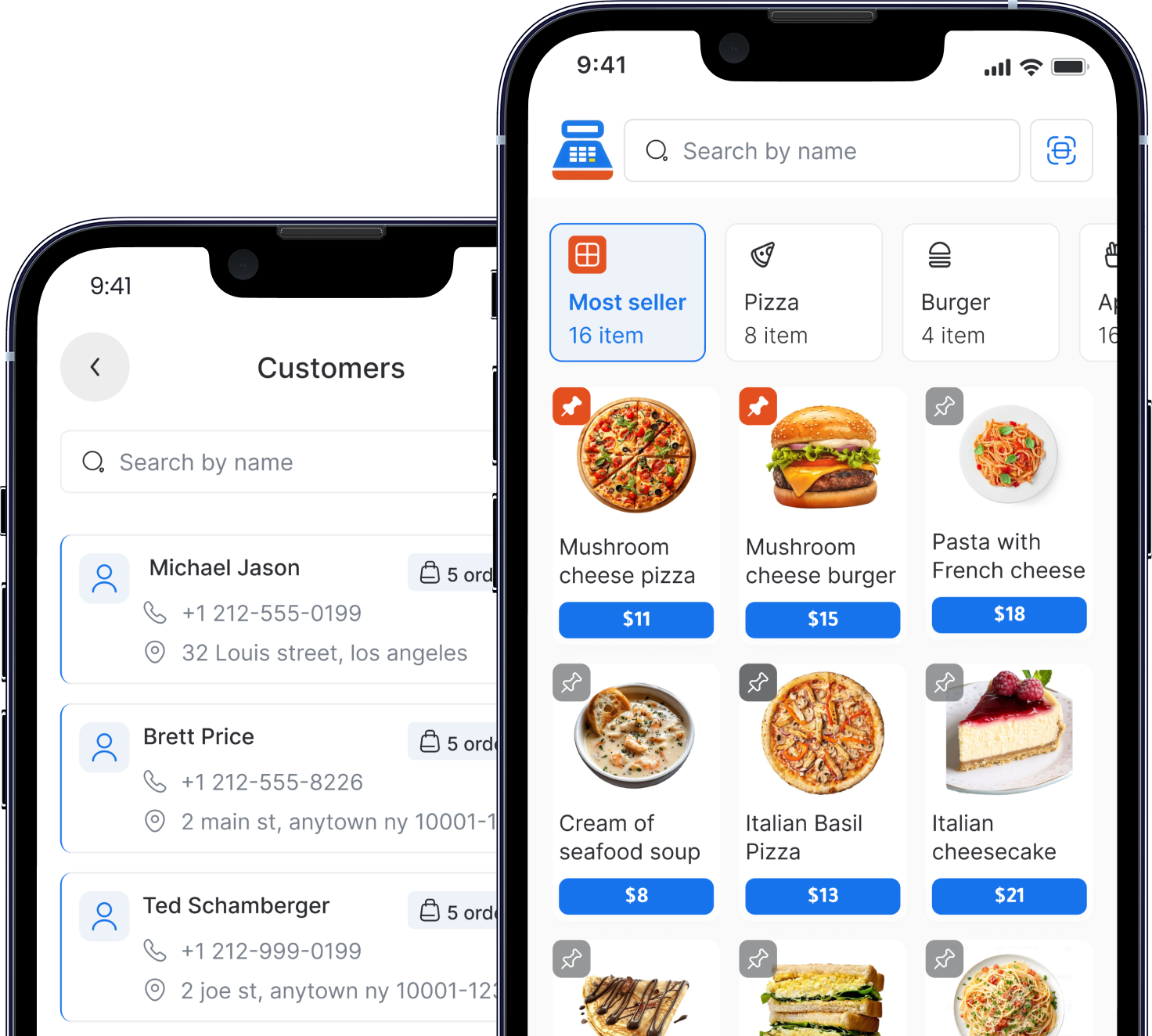
- Touchscreen terminal or tablet used as the main interface for sales
- Receipt printer for issuing physical or digital receipts
- Barcode scanner to quickly identify products and reduce manual entry errors
- Cash drawer for secure cash handling
- Card payment terminal supporting debit, credit, and contactless payments
Depending on the business type, additional hardware such as kitchen display screens, customer-facing displays, or weighing scales may also be integrated into the POS system.
POS Software
POS software is the brain of the system and the most critical component of any modern POS solution. It controls how sales are processed, data is stored, and business insights are generated.
POS software typically handles:
- Sales processing with real-time transaction recording
- Tax calculations based on local regulations
- Inventory tracking with automatic stock updates
- Employee management, including roles and access permissions
- Reporting and analytics that provide insights into sales performance, peak hours, and best-selling products
Advanced POS software also supports integrations with accounting systems, customer loyalty programs, and cloud backups. Modern solutions like Cashier POS combine powerful software with flexible hardware compatibility, allowing businesses to scale easily while maintaining full control over their operations.
Types of POS Systems
Traditional POS
Traditional POS systems are installed on local servers and desktop computers within the business premises. These systems store data locally and usually require manual software updates and on-site technical maintenance. While they were once the standard choice for businesses, traditional POS solutions offer limited flexibility, restricted remote access, and higher long-term maintenance costs. They are generally less suitable for businesses that plan to scale or manage multiple locations.
Cloud-Based POS
Cloud-based POS systems operate online and store data securely in the cloud. This allows business owners to access real-time sales data, reports, and inventory information from anywhere using an internet-connected device. Cloud POS systems update automatically, reduce IT maintenance, and scale easily as a business grows. They are especially popular among modern retailers and restaurants looking for flexibility, lower upfront costs, and centralized management.
Mobile POS (mPOS)
Mobile POS systems, commonly known as mPOS, use smartphones or tablets as the primary point of sale. These systems are lightweight, portable, and easy to set up, making them ideal for small businesses, pop-up shops, food trucks, delivery services, and events. mPOS solutions enable staff to complete transactions anywhere, improve customer interaction, and reduce waiting times, all while maintaining accurate sales records.
Online and Offline POS
The most advanced POS systems combine both online and offline capabilities. An online and offline POS system continues to operate even when the internet connection is unavailable, ensuring uninterrupted sales and smooth operations. Once connectivity is restored, all offline transactions automatically sync with the cloud. Modern POS systems like Cashier POS support both online and offline modes, making them reliable solutions for businesses that cannot afford downtime or data loss.

Why POS Systems Are Essential for Businesses
Accuracy and Speed
POS systems significantly reduce human error by automating calculations, taxes, and discounts. Manual billing often leads to pricing mistakes, incorrect change, or missed items, all of which can negatively impact customer trust and revenue. With a modern POS system, transactions are processed instantly and accurately, allowing businesses to serve more customers in less time. Faster checkout lines improve workflow efficiency, especially during peak hours, and help employees focus on service quality rather than manual tasks.
Inventory Management
Effective inventory management is one of the strongest advantages of using a POS system. By tracking stock levels in real time, businesses can monitor product movement, identify fast-selling items, and avoid running out of popular products. POS systems also help prevent overstocking, which ties up capital and storage space. Automated inventory alerts and reports enable smarter purchasing decisions and reduce waste, particularly in restaurants and supermarkets.
Sales Insights
POS systems generate detailed sales reports that provide valuable insights into business performance. Owners and managers can analyze daily, weekly, and monthly sales trends, identify best-selling products, track peak business hours, and measure employee performance. These insights support data-driven decision-making, helping businesses adjust pricing strategies, optimize product offerings, and plan promotions more effectively.
Customer Experience
A modern POS system plays a direct role in enhancing the customer experience. Faster service reduces waiting times, while multiple payment options give customers flexibility and convenience. Digital receipts, order accuracy, and personalized service based on customer history all contribute to higher satisfaction and loyalty. By streamlining the checkout process and improving service consistency, POS systems help businesses build stronger relationships with their customers.
POS Systems for Different Business Types
Restaurant POS
A restaurant POS system is designed to handle the fast-paced and complex environment of food service businesses. It manages dine-in, takeaway, and delivery orders while coordinating between front-of-house staff and the kitchen. Key features include table management, order routing to kitchen displays or printers, split bills, modifiers for menu items, and real-time order tracking. A restaurant POS also helps reduce errors, speed up service, and improve customer satisfaction by ensuring orders are accurate and delivered on time.
Retail POS
Retail POS systems focus on efficient product sales and inventory control. They handle barcode scanning, pricing, discounts, promotions, and real-time stock updates. Retail POS solutions also support returns, exchanges, customer loyalty programs, and sales reporting. By centralizing product and sales data, a retail POS system helps store owners understand buying behavior, optimize product placement, and manage seasonal demand more effectively.
Supermarket POS
Supermarket POS systems are built to support high transaction volumes and rapid checkout speeds. They are optimized for barcode scanning, bulk pricing, and handling a large number of products and suppliers. Features such as weighted items, supplier tracking, and real-time inventory synchronization are essential for supermarkets. A reliable supermarket POS ensures smooth operations during peak hours and helps prevent stock shortages across multiple categories.
Service Businesses
POS systems for service-based businesses are tailored to managing appointments, invoices, and customer profiles rather than physical products. These systems often include scheduling tools, service packages, recurring billing, and detailed customer records. By organizing client information and service history in one place, service business POS systems improve efficiency, enhance customer relationships, and support consistent service delivery.
Benefits of Using a Free POS System
Many businesses hesitate to adopt modern technology due to concerns about cost, subscription fees, and long-term commitments. A free POS system solves this issue by offering essential point-of-sale features without high upfront or recurring expenses. This allows small and medium-sized businesses to digitize their operations without financial risk.
Key benefits of using a free POS system include:
- Low startup costs, making it ideal for new businesses and startups
- Easy adoption, with simple setup and minimal training requirements
- Scalable growth, allowing businesses to upgrade or expand features as operations grow
- Operational efficiency, through automated sales, inventory, and reporting tools
Unlike limited trial-based solutions, Cashier POS stands out as a free POS system designed to support businesses at every stage of their journey. It provides reliable performance, online and offline functionality, and practical features that help businesses grow confidently without being constrained by cost barriers.
Online POS vs Offline POS
Online POS
An online POS system operates using an internet connection and stores data securely in the cloud. This model allows business owners and managers to monitor operations in real time from anywhere.
Key advantages of an online POS include:
- Real-time cloud sync, ensuring that sales, inventory, and reports are always up to date
- Remote access, allowing owners to manage the business from any device or location
- Automatic updates, which add new features and security improvements without manual installation
- Centralized data management, especially useful for businesses with multiple branches
Online POS systems are ideal for businesses that require flexibility, scalability, and constant access to accurate data.
Offline POS
An offline POS system is designed to continue working even when there is no internet connection. This is critical for businesses operating in areas with unstable connectivity or during unexpected outages.
Key benefits of an offline POS include:
- Works without internet, allowing uninterrupted sales at all times
- Prevents sales interruptions, protecting revenue during network failures
- Secure local data storage, ensuring transactions are saved safely
- Automatic data synchronization, once the internet connection is restored
The most reliable POS solutions combine both online and offline capabilities. By offering seamless switching between modes, systems like Cashier POS ensure business continuity, data accuracy, and complete operational confidence under all conditions.
Security and Data Protection in POS Systems
Modern POS systems place a strong emphasis on security and data protection, as they handle sensitive financial and customer information on a daily basis. To minimize risks and prevent unauthorized access, modern POS solutions rely on multiple layers of security.
Modern POS systems use:
- Encrypted transactions, which protect payment data by converting it into secure codes that cannot be easily intercepted or misused
- User access controls, allowing business owners to assign roles and permissions to employees, ensuring that sensitive functions and data are only accessible to authorized staff
- Secure cloud storage, which protects business data through backups, redundancy, and advanced security protocols managed by professional data centers
In addition to these core measures, many POS systems also include activity logs, regular security updates, and compliance with payment security standards. Together, these protections ensure that customer and business data remain safe, confidential, and protected from fraud or data loss.
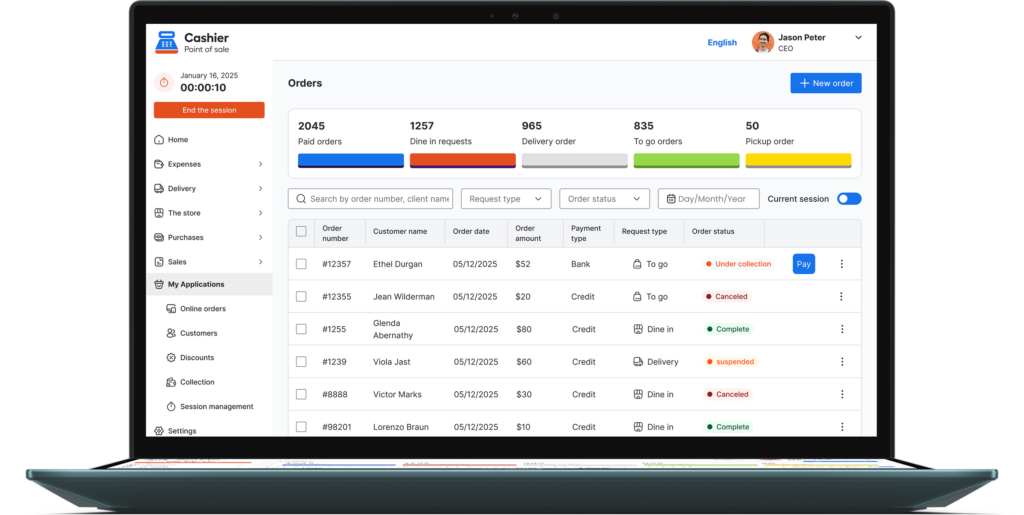
Choosing the Right POS System
When selecting a POS system, it is important to evaluate your business needs carefully and choose a solution that can support both current operations and future growth. The right POS system should align with your industry, workflow, and long-term goals.
Key factors to consider include:
- Business size and type, as different industries such as restaurants, retail stores, and service businesses require specialized features
- Online and offline needs, ensuring the system continues to operate smoothly even during internet outages
- Ease of use, so employees can learn the system quickly and work efficiently without extensive training
- Reporting capabilities, which provide clear insights into sales performance, inventory movement, and customer behavior
- Cost and scalability, allowing the POS system to grow with your business without unexpected expenses
A well-chosen POS system becomes a long-term partner in business success. Cashier POS is designed to meet these criteria with flexibility, reliability, and a user-friendly approach, making it a strong choice for businesses seeking a dependable and future-ready point of sale solution.
Future Trends in POS Technology
POS systems continue to evolve rapidly as technology advances and business expectations grow. These innovations are shaping how businesses operate, interact with customers, and make strategic decisions.
Key future trends in POS technology include:
- AI-powered analytics, which help businesses predict demand, optimize inventory levels, and identify sales trends using real-time and historical data
- Contactless payments, including mobile wallets and QR-based transactions, which improve checkout speed and meet modern customer preferences
- Integration with accounting tools, enabling seamless financial reporting, tax management, and reduced manual data entry
- Personalized customer insights, allowing businesses to tailor promotions, loyalty programs, and experiences based on purchasing behavior
As POS technology becomes more intelligent and connected, businesses that adopt modern POS systems gain a clear competitive advantage. They operate more efficiently, respond faster to market changes, and deliver better customer experiences in an increasingly digital economy.
Frequently Asked Questions (FAQ)
What does POS mean?
POS means Point of Sale, the place and system where transactions occur between a business and its customers. It includes both the physical or digital location of the sale and the technology used to process payments, record transactions, and manage sales data.
Is a POS system necessary for small businesses?
Yes, POS systems improve efficiency, accuracy, and growth potential by automating daily operations, reducing manual errors, speeding up transactions, and providing valuable insights that help small businesses make smarter decisions and scale confidently.
Can a POS system work without internet?
Yes, many modern POS systems support offline mode, allowing businesses to continue processing sales even when the internet connection is unavailable. Reliable solutions such as Cashier POS store transactions securely offline and automatically synchronize all data once the connection is restored, ensuring uninterrupted operations and accurate reporting.
What is the difference between POS and cash register?
A POS system is a digital platform that does much more than a basic cash register, as it combines sales processing, inventory management, reporting, employee control, and customer data into one integrated solution that supports smarter and more efficient business operations.
Is Cashier POS really free?
Yes, Cashier POS offers a free POS system suitable for restaurants and retail businesses, providing essential sales, inventory, and reporting features without upfront costs, making it an ideal solution for startups and growing companies.
Organize your sales in seconds with Cashier POS!
Take control of sales and users in moments, and give your business a fully integrated system that runs smoothly.
Get Started For FreeConclusion
Understanding what POS means is essential for any modern business. A POS system is no longer just a checkout tool; it is the backbone of daily operations, decision-making, and customer experience.
With advanced features, online and offline functionality, and a free pricing model, Cashier POS positions itself as a trusted and future-ready POS solution. Businesses that invest in the right POS system gain efficiency, insight, and long-term success.
By adopting a reliable POS system today, you are building a smarter and more resilient business for tomorrow.