

Running a successful restaurant in 2026 requires more than great food and excellent customer service. Modern restaurants rely heavily on technology to manage orders, track inventory, process payments, and monitor business performance. One of the most important tools for achieving this level of operational efficiency is a free POS system designed specifically for restaurants.
A restaurant POS system allows business owners to streamline daily operations, reduce human error, and gain valuable insights into sales and customer behavior. With the rise of digital transformation in the food service industry, adopting a reliable POS app is no longer optional, it is essential.
In this complete guide, you will learn everything you need to know about choosing the best free restaurant POS system, the key features to look for, and how solutions like Cashier POS help restaurants grow faster and operate more efficiently.
Organize your sales in seconds with Cashier POS!
Take control of sales and users in moments, and give your business a fully integrated system that runs smoothly.
Get Started For FreeWhat Is a Restaurant POS System?
A restaurant POS (Point of Sale) system is a digital platform that allows restaurants to process transactions, manage orders, track inventory, and analyze business data from a centralized interface.
Unlike traditional cash registers, modern POS systems combine hardware and software to create a powerful management tool. These systems can run on tablets, smartphones, desktop computers, or web-based interfaces.
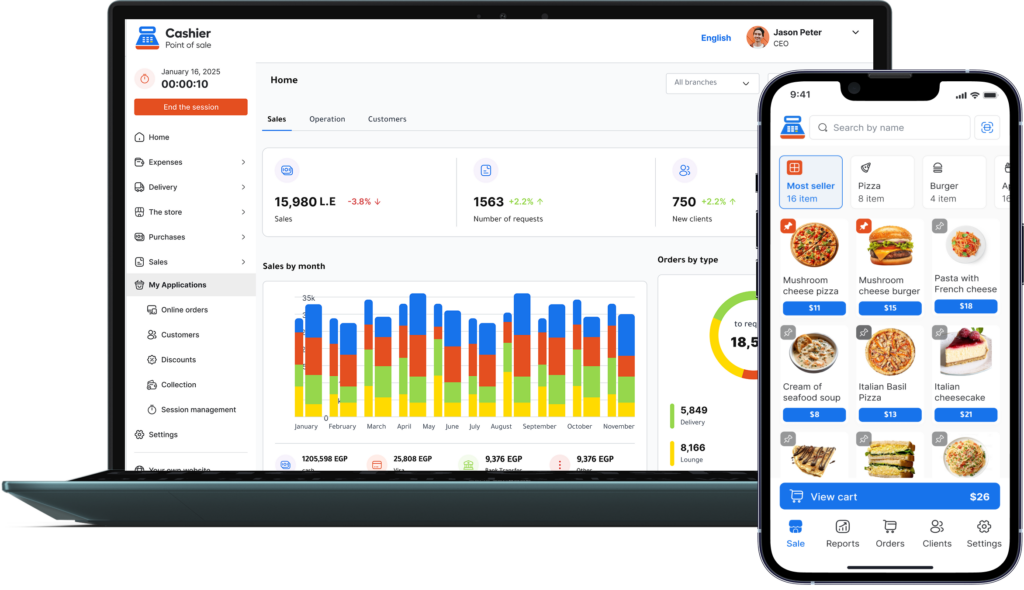
A modern POS app usually includes features such as:
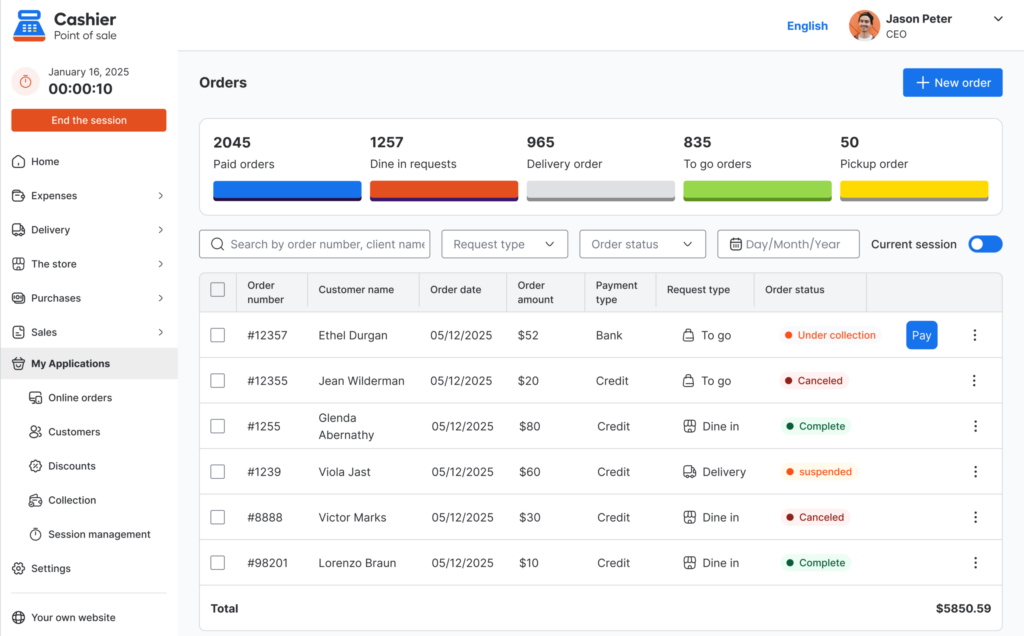
- Order management
- Payment processing
- Menu customization
- Inventory tracking
- Sales reports and analytics
- Staff management
A high-quality online POS system also supports cloud synchronization while allowing offline POS functionality, ensuring that restaurants can continue operating even if the internet connection fails.
Why Restaurants Need a POS System in 2026
The restaurant industry has become increasingly competitive. Customers expect faster service, accurate orders, and seamless payment experiences. A POS system plays a critical role in meeting these expectations.
1. Faster Order Processing
Digital order entry allows staff to process orders quickly and send them directly to the kitchen, reducing waiting times and improving service speed.
2. Reduced Human Errors
Manual order taking often leads to mistakes. A restaurant POS minimizes errors by clearly displaying menu items, modifiers, and pricing.
3. Better Inventory Control
Inventory management is one of the biggest challenges in restaurant operations. A POS system automatically updates inventory levels whenever an item is sold.
4. Real-Time Sales Insights
Restaurant owners can monitor performance using detailed reports that show revenue, best-selling items, peak hours, and more.
5. Improved Customer Experience
Fast and accurate service leads to higher customer satisfaction and repeat visits.
Key Features to Look for in a Free Restaurant POS System
Choosing the right POS system can significantly impact restaurant efficiency and profitability. Here are the most important features to consider.
Easy Order Management
A good POS system should allow staff to quickly create orders, modify items, and send tickets directly to the kitchen.
Menu Customization
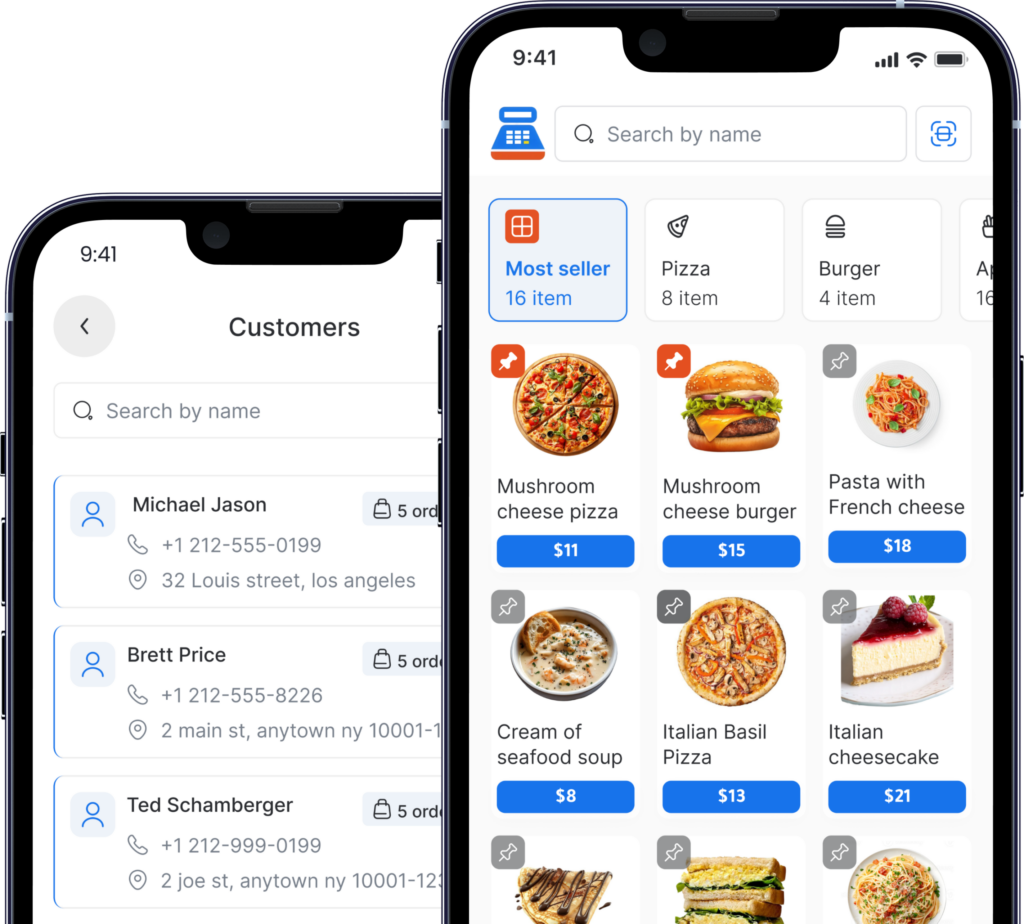
Restaurants frequently update menus. A flexible POS app should allow easy menu edits, price adjustments, and category organization.
Inventory Tracking
Automated inventory tracking helps prevent stock shortages and reduces food waste.
Reporting and Analytics
Advanced reporting tools provide valuable insights into sales trends, product performance, and customer behavior.
Multi-Device Support
A modern POS solution should work on smartphones, tablets, desktop computers, and web browsers.
Online and Offline POS Capability
Internet outages should not stop your business. A reliable POS system should continue working offline and synchronize data when the connection returns.
Benefits of Using a Free POS System for Restaurants
Many restaurant owners assume that high-quality POS software must be expensive. However, modern free POS systems offer powerful features without the financial burden of costly subscriptions.
Lower Startup Costs
A free POS system allows new restaurants to reduce initial investment while still using professional tools.
Scalability
As a restaurant grows, a POS system can expand with additional terminals, locations, and users.
Better Business Insights
Data-driven decisions help restaurant owners optimize menus, staffing, and marketing strategies.
Improved Staff Productivity
Automation reduces repetitive tasks and allows employees to focus on customer service.
How Cashier POS Helps Restaurants Operate Better
Cashier POS is a powerful free POS system designed for restaurants, retail stores, and supermarkets. It combines simplicity with advanced functionality, making it an ideal choice for businesses of all sizes.
One of the biggest advantages of Cashier POS is its ability to operate both online and offline. This ensures uninterrupted sales operations even during internet outages.
Key advantages of Cashier POS include:
- Simple and intuitive POS app interface
- Fast order processing
- Real-time sales tracking
- Inventory management
- Multi-device compatibility
- Cloud synchronization
- Offline POS support
Restaurant owners can use Cashier POS on mobile devices, desktop computers, or through a web-based POS system, providing maximum flexibility for daily operations.

Online POS vs Offline POS: What Restaurants Should Know
Online POS Systems
An online POS stores data in the cloud and allows restaurant owners to access reports from anywhere.
Benefits include:
- Remote access
- Automatic data backups
- Multi-location management
Offline POS Systems
An offline POS continues operating without an internet connection.
Benefits include:
- Business continuity
- Reliable order processing
- No downtime during internet failures
The best POS systems combine both capabilities, allowing restaurants to enjoy cloud benefits while maintaining uninterrupted service.
Steps to Implement a POS System in Your Restaurant
Implementing a POS system is easier than many restaurant owners expect. Here is a simple step-by-step process.
Step 1: Identify Your Business Needs
Determine what features are essential for your restaurant operations.
Step 2: Choose the Right POS System
Look for a free POS system that offers flexibility, reliability, and scalability.
Step 3: Set Up Your Menu
Add menu items, prices, and categories within the POS software.
Step 4: Train Your Staff
Ensure that employees understand how to use the POS app efficiently.
Step 5: Monitor Performance
Use analytics and reports to track restaurant performance and identify opportunities for improvement.
Why Cashier POS Is One of the Best Free POS Systems
Cashier POS stands out as a reliable and flexible POS solution for restaurants. Its combination of online POS capabilities and offline POS reliability ensures that businesses can operate smoothly in any environment.
The system is designed to be easy to use while providing powerful features such as inventory tracking, sales reporting, and order management.
Whether you run a small cafe or a large restaurant chain, Cashier POS provides the tools needed to improve operational efficiency and drive business growth.
Organize your sales in seconds with Cashier POS!
Take control of sales and users in moments, and give your business a fully integrated system that runs smoothly.
Get Started For FreeFrequently Asked Questions (FAQ)
A free restaurant POS system is software that allows restaurants to manage orders, process payments, and track sales without requiring expensive subscription fees.
Yes. An offline POS system continues operating even if the internet connection is lost. Data can synchronize automatically once the connection is restored.
Yes. Cashier POS is designed to work for restaurants of all sizes, from small cafes to multi-location businesses.
Important features include order management, inventory tracking, reporting tools, users management, and online and offline POS functionality.
Conclusion
Technology is transforming the restaurant industry, and POS systems have become essential tools for modern restaurant management. A reliable POS system helps businesses streamline operations, improve accuracy, and gain valuable insights into performance.
By choosing a powerful free POS system like Cashier POS, restaurant owners can reduce operational complexity while increasing efficiency and profitability. With features designed specifically for the hospitality industry, Cashier POS provides the flexibility and reliability needed to succeed in the competitive restaurant market of 2026.